Shopify product options apps compared (2026)

Short answer
The best Shopify product options app is the one whose cheapest plan already includes price add-ons, conditional logic and file upload, the three things most stores end up needing. Among the well-reviewed apps, those features start between about $10 and $40 a month.
Several apps have a free plan for simpler setups. Before you compare features, check how each app charges for add-ons, because that decides what your cart, orders and discounts look like.
This guide compares seven apps by what their Shopify App Store listings say, as of October 2026. Prices and plans change, so check the listing before you install.
Full disclosure: we make Infinite Options, one of the apps below. We have tried to describe every app, ours included, by its listing, and to say where ours is not the best fit.
What to check before you pick
Most of these apps show text boxes, dropdowns and swatches. The differences show up after launch.
- Price on the plan you actually need. A free or $10 plan often leaves out price add-ons or conditional logic. Find the plan that has every feature you need, then compare that price.
- How add-on prices are charged. There are three common methods. The fee can be bundled into the same cart line as the product, added as a separate product line, or charged through a draft order the app creates. Same-line bundling keeps the fee tied to the item. A separate line is clearer for things like gift wrap but can be removed on its own. With draft orders, test how discount codes behave. Ask the developer which method they use, or test it on the free trial. Our guide to charging for add-ons covers the trade-offs.
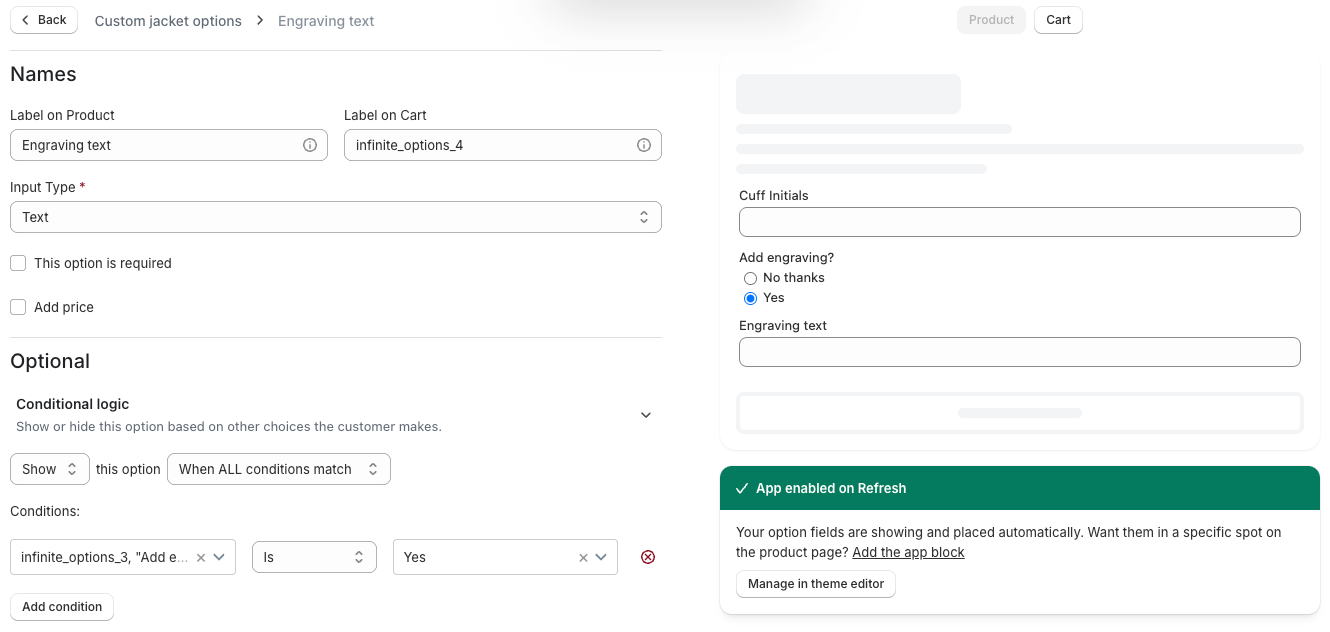
- Conditional logic. Showing "Engraving text" only when someone picks "Add engraving" keeps the page short. Check whether logic can react to your Shopify variants too, not just the app's own options.
- File upload. If customers send logos or photos, check file count and size limits per plan.
- Theme compatibility. On Online Store 2.0 themes, apps install through app blocks or an app embed you turn on in the theme editor. Test on your live theme, and on any page builder you use.
- Speed. Every app adds script to the product page. Run a speed test on a product page before and after install.
- Support. Theme conflicts happen. Read recent reviews for how fast support fixes them.
- Limits on lower plans. Watch for caps on option sets, option types, files or monthly orders.
If an app's fields don't appear on your theme, see why app options or upload fields don't show.
Switching themes later? See how to change your Shopify theme without breaking your apps.
Product options apps compared
All prices are monthly, from each app's App Store listing as of October 2026. "From" means the cheapest plan that includes that feature.
| App | Free plan | Price add-ons from | Conditional logic from | File upload from | Rating (reviews) |
|---|---|---|---|---|---|
| Infinite Options | No (14-day trial) | $12.99 | $12.99 | $12.99 | 4.7 (2,618) |
| Globo Product Options, Variant | Yes | $9.90 | Free | $9.90 | 4.9 (5,127) |
| Easify Custom Product Options | Yes | $9.99 | Free | $9.99 | 4.9 (3,114) |
| OPTIS Product Options, Variant | Yes (10 option sets) | $9.99 | $9.99 | $9.99 | 4.9 (2,362) |
| Hulk Product Options | Development stores only | $10 | $20 | $10 | 4.8 (1,210) |
| Zepto Product Personalizer | No (15-day trial) | $9.99 | $9.99 | $9.99 | 4.9 (1,417) |
| SC Product Options | Development stores only | $39.99 | $39.99 | $14.99 | 4.6 (1,257) |
For Globo and Easify, free-plan conditional logic works between the app's own options. Logic that reacts to Shopify variants starts on their first paid plan.
The apps, one by one
Infinite Options
Infinite Options has one plan, Essential, which starts at $12.99/month with a 14-day free trial (as of October 2026). Everything is included: text and multi-line text, number, date picker, radio buttons, color and image swatches, checkboxes, dropdowns (with or without images), font picker, toggles, buttons, section headers and file upload.
You build an option set once and assign it by rule: all products, specific products, a tag, a vendor or a product type, with "is not" rules for exceptions (every product except ones tagged Digital, for example). Conditional logic shows or hides options based on other answers, and validation covers required fields, character limits and minimum checkbox selections. Everything the customer enters is saved as line item properties, so it shows in the cart, checkout, order admin and on packing slips.
For paid options, the fee is a Shopify product linked to the choice. With native bundling it is bundled into the same cart line as the main product using Shopify's Cart Transform, so customers can't remove the fee on its own, and the add-on product doesn't need to be published. You can switch to a separate cart line for things like gift wrap (how native bundling works). It works with our Uploadery app for richer file uploads, and with Klaviyo, Order Printer, Recharge, GemPages and MESA.
Not a fit if: you want a free plan, or a live picture of the customized product as the shopper types. Several apps below offer both.
Globo Product Options, Variant
Globo Product Options, Variant has the most reviews in this group and a generous free plan: unlimited option sets, 15 option types and conditional logic between Globo options. Premium ($9.90) adds price add-ons, file upload up to 20MB, character limits and conditional logic with Shopify variants. Advanced ($19.90) adds a live preview for engraving or artwork, edit in cart and POS support. The listing says add-on pricing runs on Shopify Functions so discount codes and taxes stay accurate, and shows a separate $59.90 price for Shopify Plus stores on Advanced.
Good fit if: you want to start free and grow into paid add-ons and live preview.
Easify Custom Product Options
Easify Custom Product Options also has a free plan with 15 option types and 100+ templates. Pro ($9.99) adds price add-ons with formula and per-character pricing, multi-file upload (10 files, 10MB each), conditional logic with Shopify variants, date blocking and in-cart editing. Premium ($19.99) adds a live preview, text effects and background removal. An Enterprise plan ($99.99) adds done-with-you onboarding and phone support.
Good fit if: you price by formula or by character, or want hands-on setup help.
OPTIS Product Options, Variant
OPTIS Product Options, Variant is free for up to 10 option sets. Advanced ($9.99) unlocks unlimited option sets, price add-ons, conditional logic, import and export, and 5 file uploads. Platinum ($19.99) adds 20 file uploads, option quantities and editing options in the cart. The listing also mentions a font picker, live preview and add-ons that track inventory.
Good fit if: you have a small catalog that fits in 10 option sets, or want the core paid features at $9.99.
Hulk Product Options
Hulk Product Options includes price add-ons and file upload on Basic ($10), with option sets you can apply to whole collections. Conditional logic and edit in cart start on Advanced ($20). Enterprise ($49.90) adds inventory and SKU management, formula-based options, a Google Font picker, Klaviyo and Mailchimp integration and POS. Trials are 7 days, shorter than most.
Good fit if: you need SKU tracking on options or POS support and are ready for the Enterprise plan.
Zepto Product Personalizer
Zepto Product Personalizer puts live visual preview, price add-ons, conditional logic and multi-file upload on every plan, from Starter ($9.99). Plans are tiered by custom orders: 100 a month on Starter, 200 on Basic ($19.99), 500 on Pro ($34.99) and unlimited on Unlimited ($69.99).
Good fit if: shoppers need to see their design before they buy and your volume of custom orders is predictable.
SC Product Options
SC Product Options, from developer Shop Circle, has unlimited options, custom fields and file uploads on Basic ($14.99). Charging for extras, conditional logic, swatches and edit in cart are on Premium ($39.99), the highest entry price for add-ons in this group.
Good fit if: you only need to collect information (text, uploads) without charging for it, where Basic covers it.
What about product configurators?
If customers build a product visually, layer by layer, with a 3D or 2D preview that changes with every choice, you are shopping for a configurator such as Kickflip or Customily rather than an options app. We explain where the line falls in product configurator or options app, and the personalization guide covers previews and proofs.
Do you need an app at all?
Often not. If your choices all fit in Shopify's three options and each needs its own price, SKU or stock count, use variants. Shopify now allows up to 2,048 per product (see Shopify's variant limit). If you only need one free text field, like a gift message, a few lines of theme code can add it as a line item property at no cost.
An app earns its fee when you need a price on a choice, fields that show conditionally, file uploads, or the same options across many products. Our variants vs product options guide walks through the decision.
How to choose
- You want to start free: Globo, Easify or OPTIS.
- You need add-ons, logic and uploads on one plan at a low price: Globo Premium, Easify Pro and OPTIS Advanced (each about $10), Zepto Starter ($9.99) or Infinite Options ($12.99).
- You want the fee locked to the product in the cart: ask each developer how add-on prices are charged, and test it on the trial.
- Shoppers need a live preview: Zepto on any plan, or Globo Advanced and Easify Premium.
- You want every feature without comparing tiers: Infinite Options has one plan.
FAQs
What is the best Shopify product options app?
It depends on what you sell. For a free start, Globo Product Options, Easify and OPTIS all have free plans. For live previews, Zepto Product Personalizer includes them on every plan. Infinite Options puts every feature on one $12.99 plan. Compare the plan that has all the features you need, not the cheapest one.
Is there a free Shopify product options app?
Yes. As of October 2026, Globo Product Options, Variant and Easify Custom Product Options have free plans with unlimited option sets, and OPTIS Product Options is free for up to 10 option sets. Price add-ons need a paid plan on all three.
Do product options apps count toward Shopify's variant limit?
No. Options added by an app are saved as line item properties on the cart line, not as variants, so they don't count toward Shopify's limit of 2,048 variants per product.
Can a product options app charge extra for an option?
Yes, most can on a paid plan. Apps add the fee as a bundled part of the product's cart line, as a separate product line, or through a draft order. Ask which method an app uses, because it affects discounts and what customers see in the cart.