Black Friday discounts and product add-ons: what actually gets discounted

Short answer
When a Shopify discount applies to a product, it also applies to the add-ons bundled with it. If you charge for gift wrap or engraving with Infinite Options add-on pricing, a 20% off Black Friday sale takes 20% off those fees too, and there is no setting that excludes them. Percentage add-ons shrink as well, because they are calculated from the product's price after the discount. The way to protect add-on margin is to plan your add-on prices and the shape of your sale before November 27, not to look for an exclusion setting on the day.
This guide is for stores that already charge for add-ons like gift wrap, engraving, monograms or rush production on top of a product's price. If you haven't set those up yet, start with how to charge for add-ons in Shopify, then come back before you build your Black Friday discounts.
What actually gets discounted
With Infinite Options add-on pricing, Shopify treats the main product and its add-ons as one bundled item. Our docs compare it to a gift set: once the pieces are bundled, a discount on the set is a discount on everything in it (add-on pricing and Shopify discounts).
That holds for every kind of Shopify discount:
- Percentage discounts
- Fixed amount discounts
- Buy X Get Y promotions
- Discount codes
- Automatic discounts
It also doesn't matter how narrowly you scope the discount. If you limit a sale to one collection and the add-on's product isn't in that collection, the add-on is still discounted whenever the main product qualifies. The rule is simple: if the main product gets the discount, so do its add-ons.
A worked example
Say you sell a $40 leather wallet with two priced options: gift wrap for $8 and engraving for $12. On Black Friday you run 25% off everything.
| Line | Regular price | With 25% off |
|---|---|---|
| Wallet | $40.00 | $30.00 |
| Gift wrap | $8.00 | $6.00 |
| Engraving | $12.00 | $9.00 |
| Total | $60.00 | $45.00 |
You planned to discount the wallet. You also gave away $5 of add-on revenue on every gift wrapped, engraved order, and those are the services with labor and materials behind them. If many of your Black Friday orders are gifts, that adds up quickly. For setting up the gift wrap and notes themselves, see holiday gift options on Shopify.
Percentage add-ons shrink twice
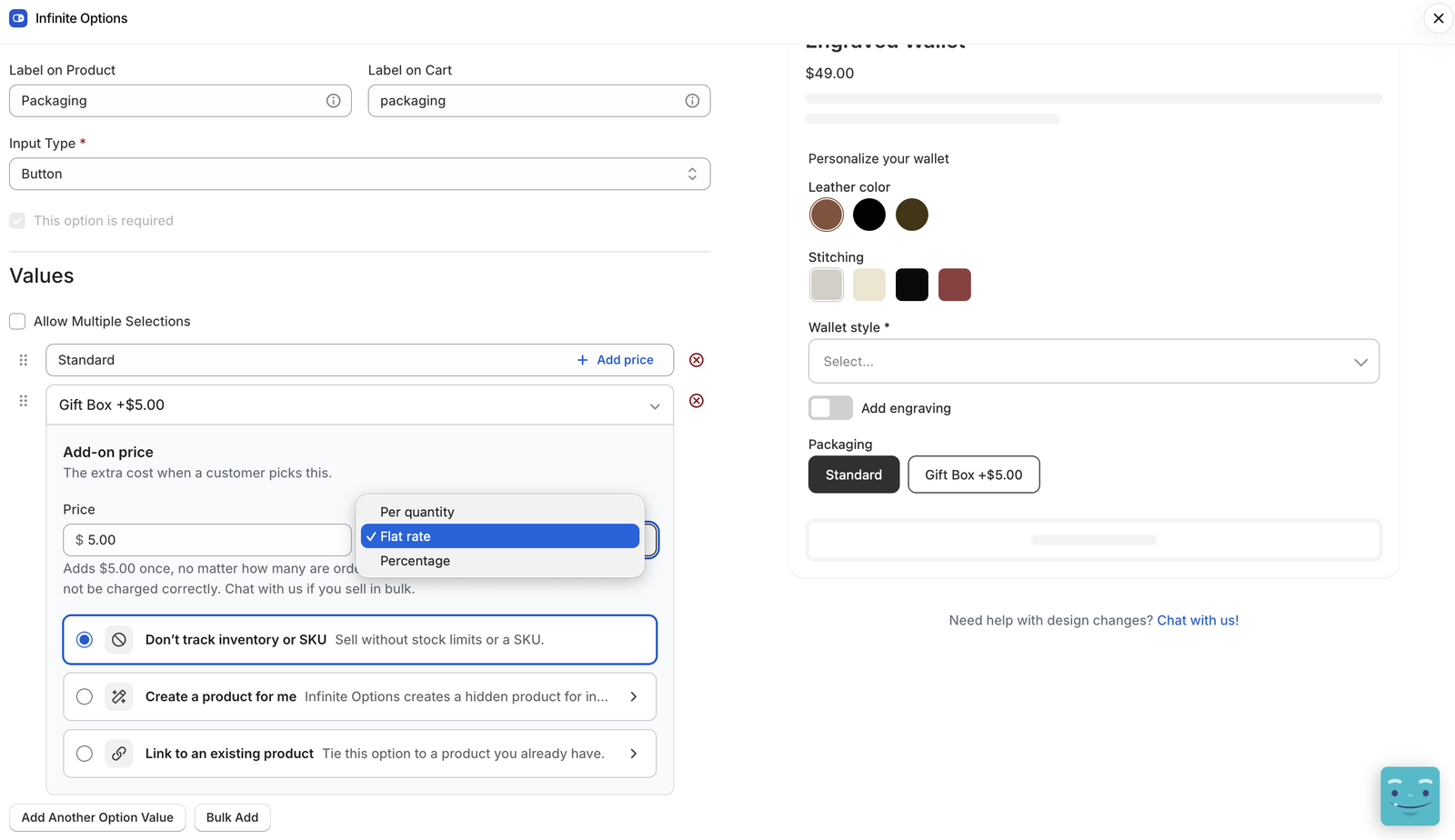
Infinite Options has four price types for add-ons: per quantity, flat rate, percentage and per character (add pricing to your options). A percentage add-on is calculated from the product's price after discounts.
Our docs give the numbers: a 10% add-on on a $50 product adds $5 normally, but $4 when the product is 20% off. So a percentage-priced upgrade, like premium materials or an extended warranty priced as a share of the product, earns less during a sale because the base it's calculated from is lower. That's often what you want for an upgrade that scales with the product's value. Just know it before you run the numbers on your sale.
Why you can't exclude add-ons from the discount
The short version: Shopify doesn't provide a way to discount only the main product while leaving its bundled add-ons at full price. Infinite Options can't currently exclude add-on prices from a Shopify discount, or apply a discount to add-on prices only.
The one exception is the older way of charging for options. Infinite Options has two methods: add-on pricing (recommended, and on when the Native Bundling setting is turned on) and Product Bundling, the legacy method. With Product Bundling each add-on is its own product in the cart, so our docs note it may be a better fit if you need to discount add-ons separately (add-on pricing or Product Bundling). It comes with trade-offs, though: the add-on products have to be active on your Online Store, Shop Pay and other accelerated checkout buttons are hidden on product pages with configured options, and removing the main product from the cart can leave the add-on behind. Product Bundling remains available on legacy Infinite Options plans, but new features go to add-on pricing. For most stores it isn't worth switching for one weekend.
Six ways to protect add-on margin during the sale
Since you can't switch the discount off for add-ons, the work is in pricing and in how you shape the promotion.
1. Price add-ons for your deepest discount
Work out what each add-on costs you to deliver: the gift box and ribbon, the minutes at the engraving machine, the packing time. Then check that the add-on still covers that cost at the deepest discount you'll run. If engraving costs you $6 in labor and you plan 40% off on Cyber Monday, a $10 engraving fee drops to $6 and earns nothing. A $12 fee still clears $1.20.
If you raise an add-on price, do it in October or after the season, not the week before your sale. Customers notice when a price jumps right before a discount.
2. Choose the right price type
The price type decides how much an add-on charges before any discount, so it's worth checking each one:
- Per quantity adds the price once for each unit. A $5 gift wrap on an order of 3 adds $15.
- Flat rate adds the price once, however many are ordered. Our docs use a jeweler charging a $10 flat fee to gift wrap the whole order. Good for setup, delivery or service fees.
- Percentage scales with the product's price and, as above, falls with it during a sale.
- Per character charges for each character typed, with an optional number of free characters. Useful for engraving and embroidery, where longer text really does take longer. Our guide to Shopify product personalization covers how to set limits that fit the item.
A gift wrap service priced per quantity on a store where gift orders often have several items can earn more than you expect, and a flat rate one can earn less. Check them against your real orders.
3. Keep add-on heavy products out of the deepest sale
Because the add-ons follow the main product, the place to control them is the product list. If a product doesn't qualify for the discount, neither do its add-ons. Made-to-order and engraved items are often the ones where add-ons carry most of the margin, and they're also the ones with production limits in a busy week. Consider a smaller discount, or none, on those, and put the deep discount on stock items that ship as they are.
4. Use free shipping instead of a percentage off
A free shipping discount applies to shipping rates only, not product prices (Shopify Help Center: free shipping discounts). It leaves the product and its add-ons at full price. You can require a minimum purchase amount or quantity, limit it to some countries, and exclude shipping rates above an amount. For a store where gift wrap and personalization carry the margin, free shipping over a threshold can be a better Black Friday offer than a percentage off.
5. If you give an add-on away, do it on purpose
"Free gift wrap through Cyber Monday" is a real offer that customers notice. "Gift wrap quietly 25% off because of the sitewide code" is not. If you want to promote an add-on, set its price to zero for the sale and say so on the product page and in your emails.
One trap if you do: if the option value's label includes the price, such as "Gift wrap (+$5.00)", and you change it to "Gift wrap (free)", any conditional logic that refers to the old label stops working. A gift message box set to appear when "Gift wrap (+$5.00)" is selected will simply never show. Our docs cover this in conditional logic isn't working. Update the conditions at the same time as the label, and again when you switch the price back.
6. Test a discounted order before you launch
Set up your Black Friday discounts early, schedule them, and test them on your live storefront before November 27. Add a product with every priced option you sell, apply the code or let the automatic discount kick in, and look at the cart, the checkout and the finished order. Check that the totals match what you planned, that the gift message and engraving text show on the order, and that the add-on shows grouped under the item it belongs to. Our docs recommend this test before any promotion that touches bundled products.
Before November 27: a checklist
- List every priced option you sell and what it costs you to deliver.
- Check each one still covers its cost at your deepest planned discount.
- Check each add-on's price type (per quantity, flat rate, percentage, per character) against real orders.
- Decide which products get the deep discount and which get a smaller one or free shipping.
- If an add-on goes free for the sale, update its label and every condition that refers to it.
- Schedule your discounts and test a full discounted order on the storefront.
- Put the date you'll switch prices and labels back on your calendar.
Everything the customer chooses or types is saved on the order as line item properties, which is what your team reads when they pack it. If those don't show where you expect, see Shopify line item properties, explained.
FAQs
Do Shopify discounts apply to product add-ons?
Yes, when the add-on is bundled with the product. With Infinite Options add-on pricing, any Shopify discount that applies to the main product also applies to its add-ons, including percentage, fixed amount, Buy X Get Y, code and automatic discounts.
Can I exclude gift wrap from a Black Friday discount?
Not with add-on pricing. Shopify doesn't provide a way to discount the main product while excluding its bundled add-ons, even when the discount is limited to a collection that doesn't include the add-on. You can keep the product itself out of the discount, use a free shipping offer instead, or price the gift wrap so it still covers its cost after the discount.
Are percentage add-ons calculated before or after the discount?
After. A percentage add-on is calculated from the product's price after discounts, so a 10% add-on on a $50 product adds $5 normally and $4 when the product is 20% off.
Does a free shipping discount change add-on prices?
No. A Shopify free shipping discount applies to shipping rates only, so the product and its add-ons stay at full price.