Mission Log: October 2026

October was a big month for Infinite Options: add-on prices can now be a flat rate, a percentage or charged per character, and the Essential plan dropped to $9.99 a month. Tracktor's carrier list also passed 2,000 carriers.
Infinite Options
New ways to price add-ons
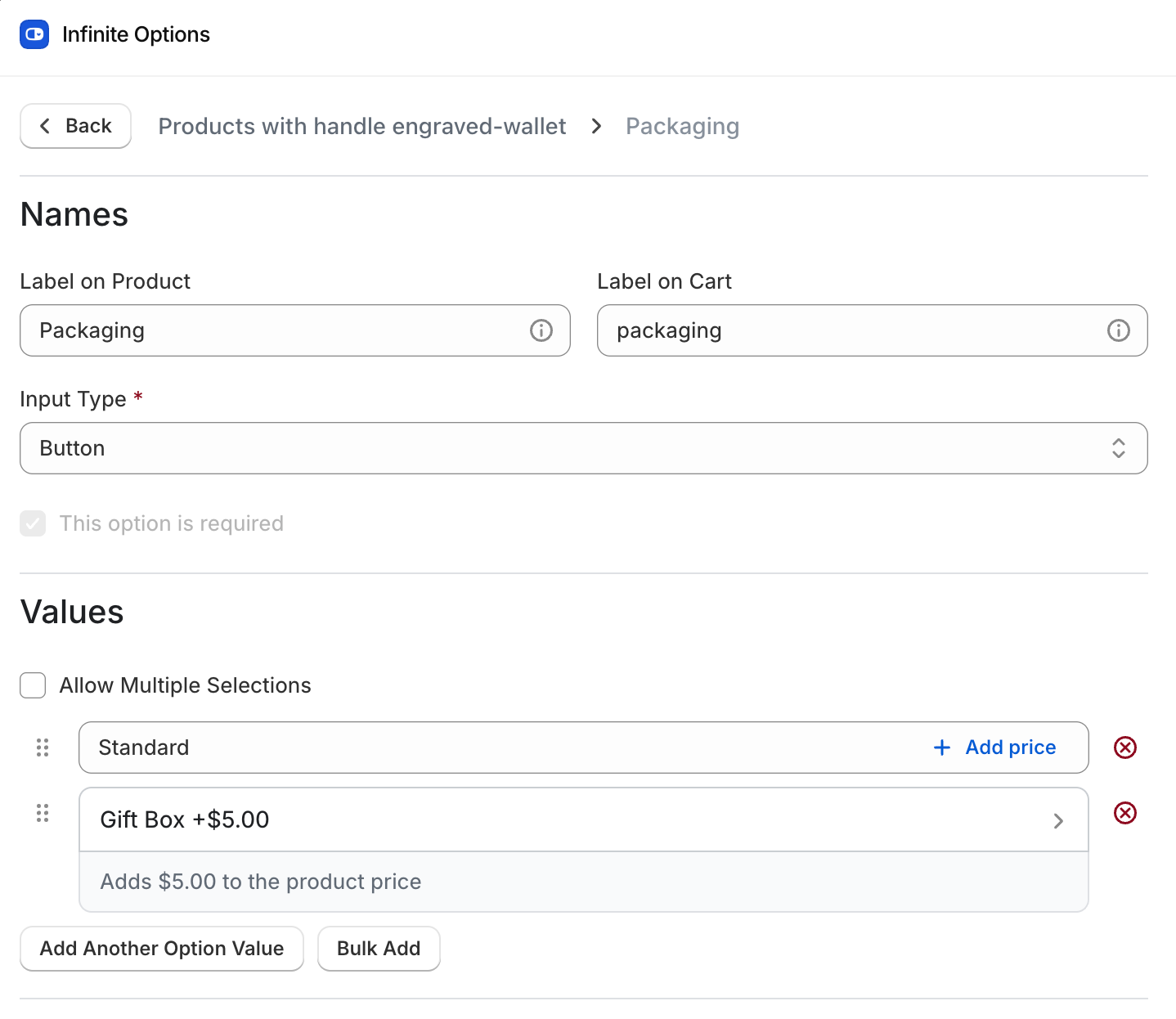
Add-on prices are no longer only charged per quantity. You can now set a price as a Flat rate, a Percentage, or (on text inputs) Per character, with a number of free characters before the charge starts. Number, date and file upload fields can carry a price on the field itself, which helps with things like engraving, monogramming or rush fees.
You also choose how each priced value relates to a product: don't track inventory or SKU at all (the new default, no extra product needed), Create a product for me (Infinite Options creates a draft product you manage in Shopify for SKU and stock), or Link to an existing product. For linked products, there's a new Hide this option when the product is sold out setting, and created products have a matching Hide this option when it reaches 0. These prices use Shopify's native bundling, so Settings > Product Bundling needs to stay on while any option set uses them. Existing option sets keep charging exactly as before. The help doc on adding an extra cost to your option covers the setup, and our post on Shopify product add-ons has more background.
The Essential plan is now $9.99 a month
We lowered the price of Infinite Options' Essential plan from $12.99 to $9.99 a month. The App Store listing shows the new price, still with a 7-day free trial. The new price applies to new subscriptions; current Essential subscribers stay on their existing plan.
Number options respect Min and Max, plus a new Allowed numbers setting
A merchant pointed out that shoppers could get around a Number option's Min and Max on the product page, for example adding 29 when the minimum was 30, or pasting in a decimal. That's fixed. The up and down arrows now stop at the limits, values outside Min and Max (or decimals on a whole-number field) are cleared when the shopper clicks away, and every Number field is checked again at add to cart.
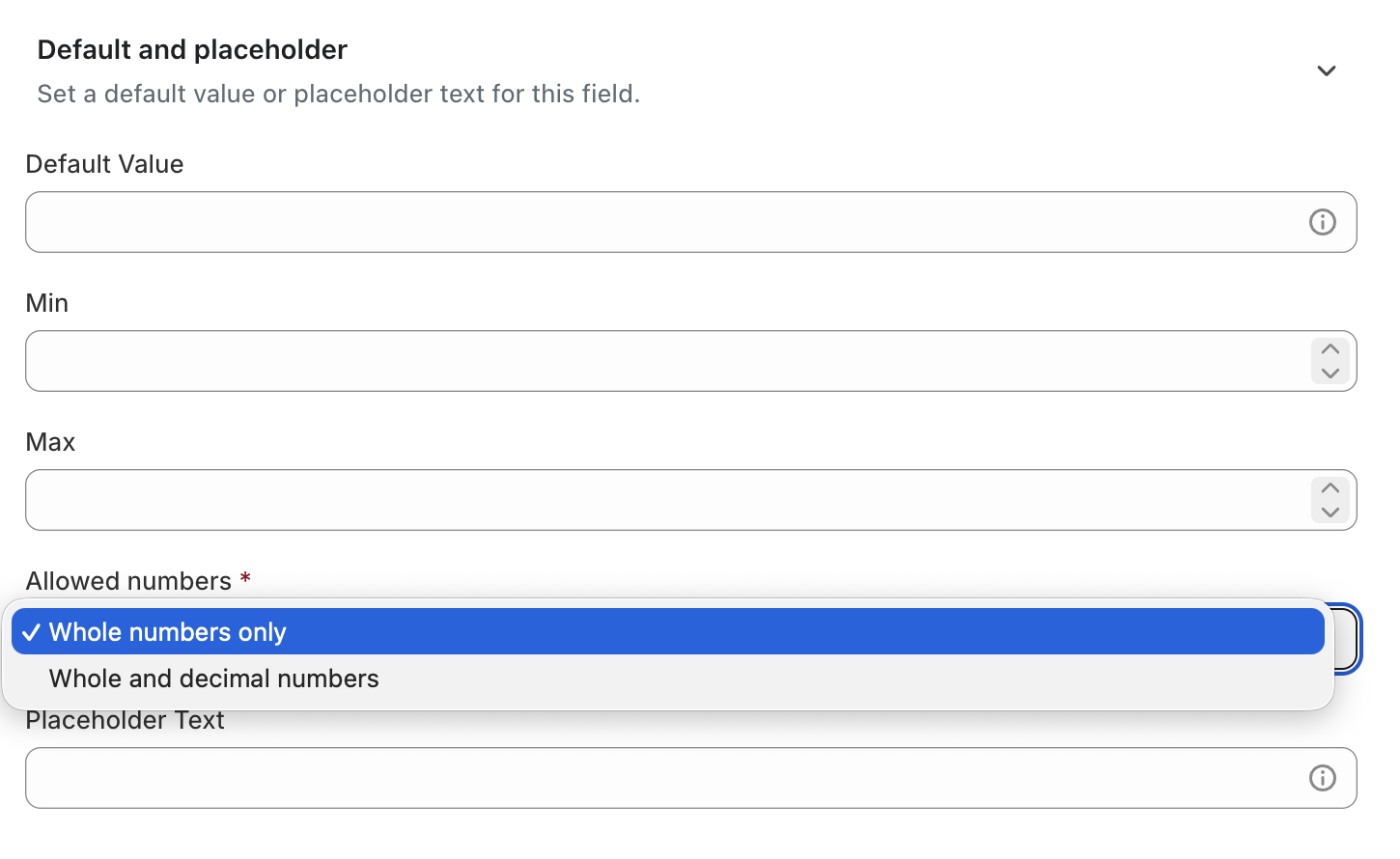
Number options also have a new Allowed numbers setting, under Default and placeholder next to Min and Max, with Whole numbers only or Whole and decimal numbers. New Number options start as whole numbers only. Existing ones keep accepting decimals, so nothing changes on your storefront until you change the setting. Yedric can change it for you too.
A refreshed Dashboard
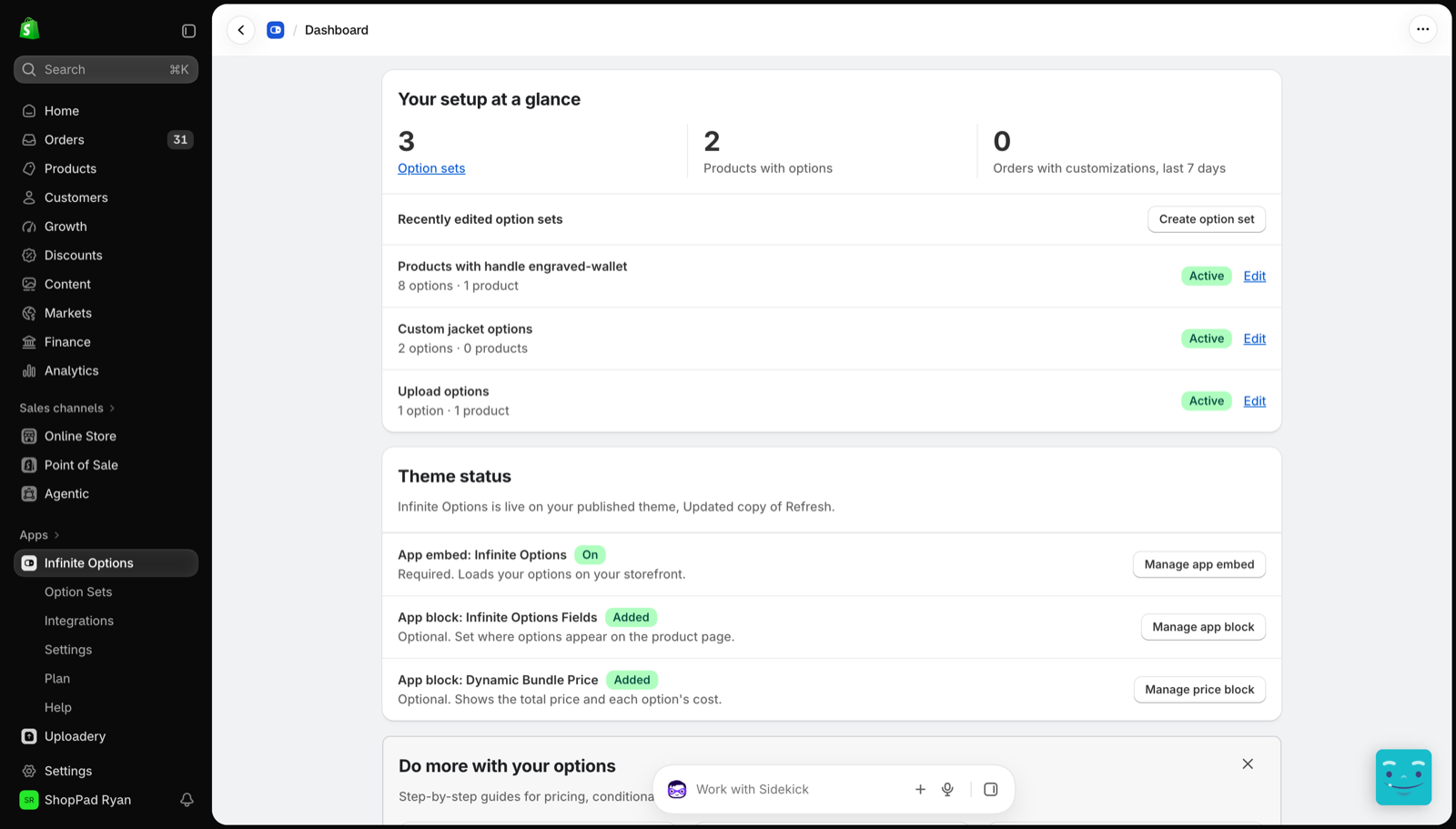
The Dashboard has a new setup checklist, "Let's get your first option live", that walks you through building an option set, assigning it to products, turning on the app embed, and (optionally) adding the app block. A new "Your setup at a glance" card shows your option set count, how many products have options, orders with customizations in the last 7 days, and your most recently edited option sets. If you use Yedric, its suggested prompts now sit in a "Just ask Yedric" card on the Dashboard. Our guide to Shopify app embeds explains what the embed step does.
Theme CSS snippets for 14 paid themes
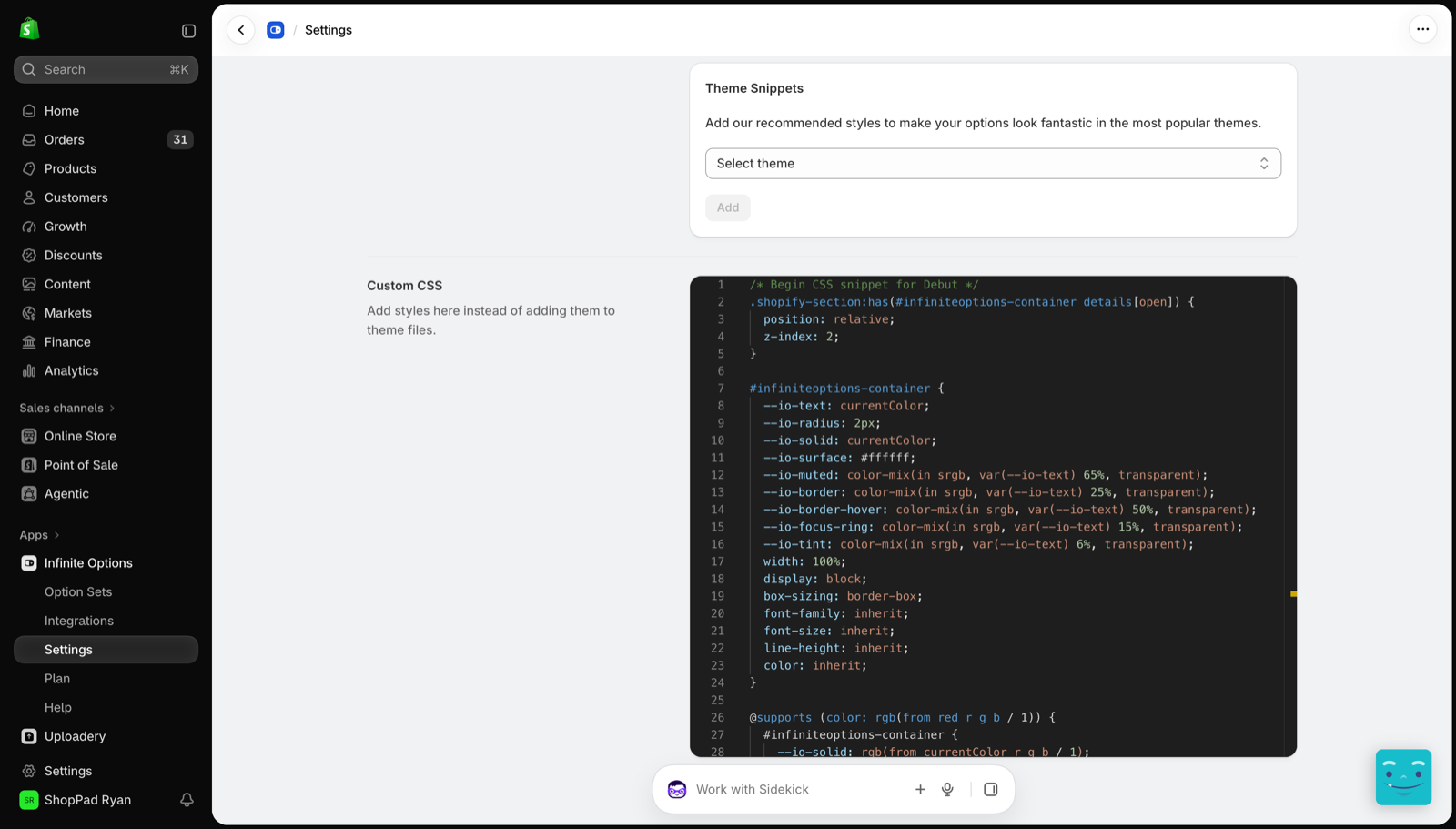
Under Settings > CSS Snippets, you'll now find snippets for 14 paid themes: Balance, Be Yours, Broadcast, Canyon, Clarity, Concept, Drive, Flora, Impact, Impulse, Motion, Prestige, Symmetry and Warehouse. Each one makes Infinite Options fields match your theme's own product form. With the free Shopify themes, that's 39 themes covered.
Tracktor
Supported carriers now top 2,000
We refreshed Tracktor's list of supported carriers, which went from 1,931 to 2,003. A few carriers are no longer supported and some carrier mappings were updated. If you've mapped a carrier by hand, it's worth a quick check against the supported carriers list. For more on choosing a tracking setup, see our roundup of Shopify order tracking apps.
Using MESA?
MESA's updates are covered in its own monthly Field Notes. You'll find them on the MESA product news page.